
Short content series
Organize multiple episodes in one project and follow each episode's production status.
AI SHORT DRAMA WORKSPACE
Create AI short films by project: develop scripts, characters, storyboards and individual shots in one HOTX AI production workflow.
Separate projects, episodes, assets and production stages to help teams track their work.
Create projects, organize assets and develop each episode in one workflow.
ACTUAL WORKSPACE
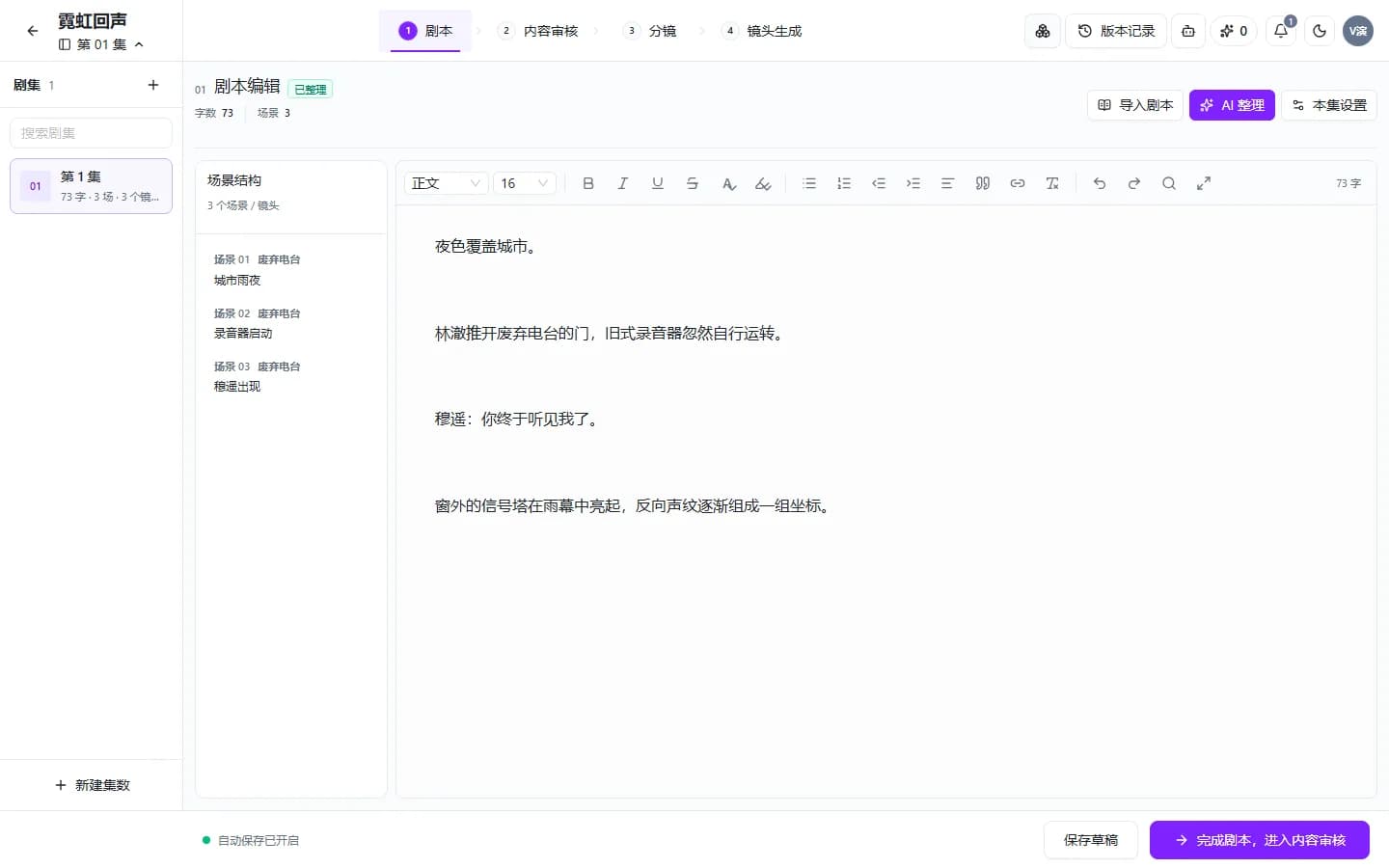
Editing and media generation share the same project context instead of being scattered across tools.
USE CASES
Build a common source of truth for characters, settings and each episode's progress.
Organize multiple episodes in one project and follow each episode's production status.
Develop stories with characters, scenes and reusable assets.
Review scene structure and segments before generating individual shots.
Separate writing, review, storyboarding and media generation for clearer coordination.
HOW TO USE
Each stage uses actual project data and shows why work cannot yet proceed.
Manage characters, settings, props, clues and reference sources for the entire project.
Organize episodes, scenes and script content in a central editor.
Review content, then turn the script into a structured storyboard and shot list.
Track video, voice-over and composition, and retry the specific parts that failed.
AVAILABLE CAPABILITIES
Stage status comes from the project's script, review, storyboard and generated media.
Characters, settings and props are managed across the project, beyond any single episode.
Organize content by episode, scene and working version.
Create a checkpoint before turning content into shots for production.
Show progress and errors for each item to address the part that is blocked.
FREQUENTLY ASKED QUESTIONS
Organize the project, assets and script, then proceed through content review, storyboarding and individual shot production.
The workspace manages characters, settings and project assets, and organizes storyboards before generating individual shots.
No. Characters, settings, props and clues belong to the whole project. Each episode can reference relevant assets.
The workspace shows failed items and blocking reasons so you can retry the relevant shot or step without recreating the entire project.
RELATED TOOLS
GET STARTED WITH HOTX AI
Create a project to start managing assets, episodes, scripts and subsequent production stages.